





Optimizing Vegetation Shadows with ShadowProxyMesh

Published: Feb. 24, 2026
Objectives and Policies
Section titled “Objectives and Policies”To build a high frame rate, dynamic, vegetation-heavy scene with a low-end target, we proceeded with the following in mind:
- Reduce ShadowDepth process
- Reduce Triangles
- Reduce Pixel burden
Based on past research, we have concluded that LOD mesh + CSM + ShadowProxyMesh is the lightest combination.
We plan to create a report comparing the process.
Vegetation meshes that use Masked materials tend to have a high process due to the fact that PreZ/EarlyZ is not very effective.
Tech Demo
Section titled “Tech Demo”WinterCrownWORKS : Shadow Billboard Wind Animation
Section titled “WinterCrownWORKS : Shadow Billboard Wind Animation”Applying and Implementing ShadowProxyMesh
Section titled “Applying and Implementing ShadowProxyMesh”Effective use cases
Section titled “Effective use cases”- When the rendered mesh is a Nanite mesh
Use ShadowProxyMesh as a non-Nanite mesh - When a visual mesh is an LOD mesh with a Masked material
- When a visual mesh is an LOD mesh and is High resource
Comparison of resources used for shadow rendering
Section titled “Comparison of resources used for shadow rendering”Triangle comparison
Section titled “Triangle comparison”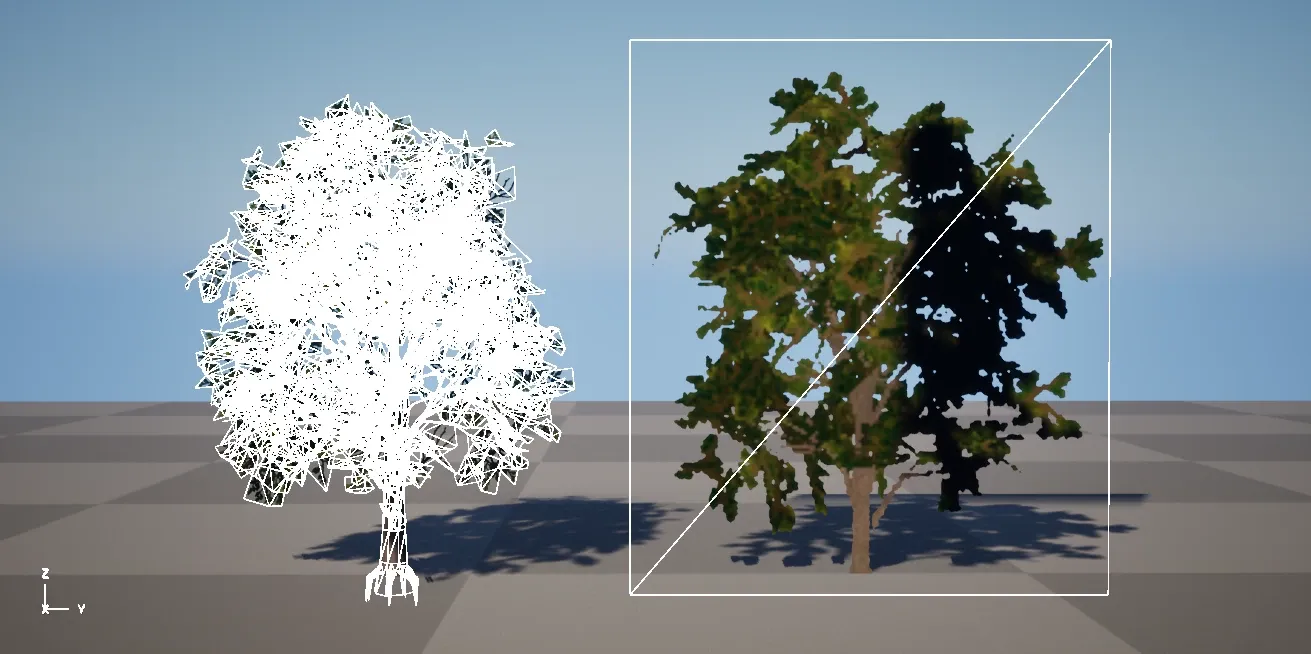
left:18,761 tri
right:2 tri
Overdraw Comparison
Section titled “Overdraw Comparison”
Can you tell which one is lighter?
How to Implement
Section titled “How to Implement”1. Uncheck the Dynamic Shadow for the Visual mesh. Keep Cast Shadow on to apply Contact Shadow.
Section titled “1. Uncheck the Dynamic Shadow for the Visual mesh. Keep Cast Shadow on to apply Contact Shadow.”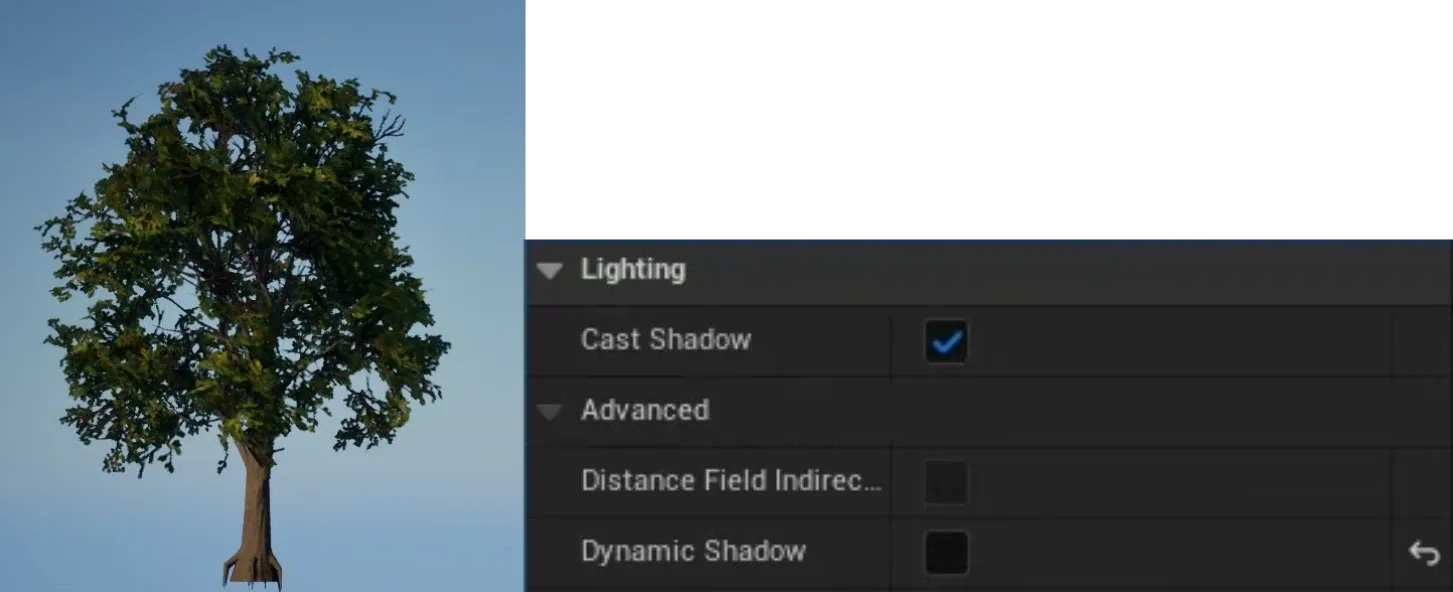
2. Uncheck the Visible of ShadowProxyMesh and turn on HiddenShadow
Section titled “2. Uncheck the Visible of ShadowProxyMesh and turn on HiddenShadow”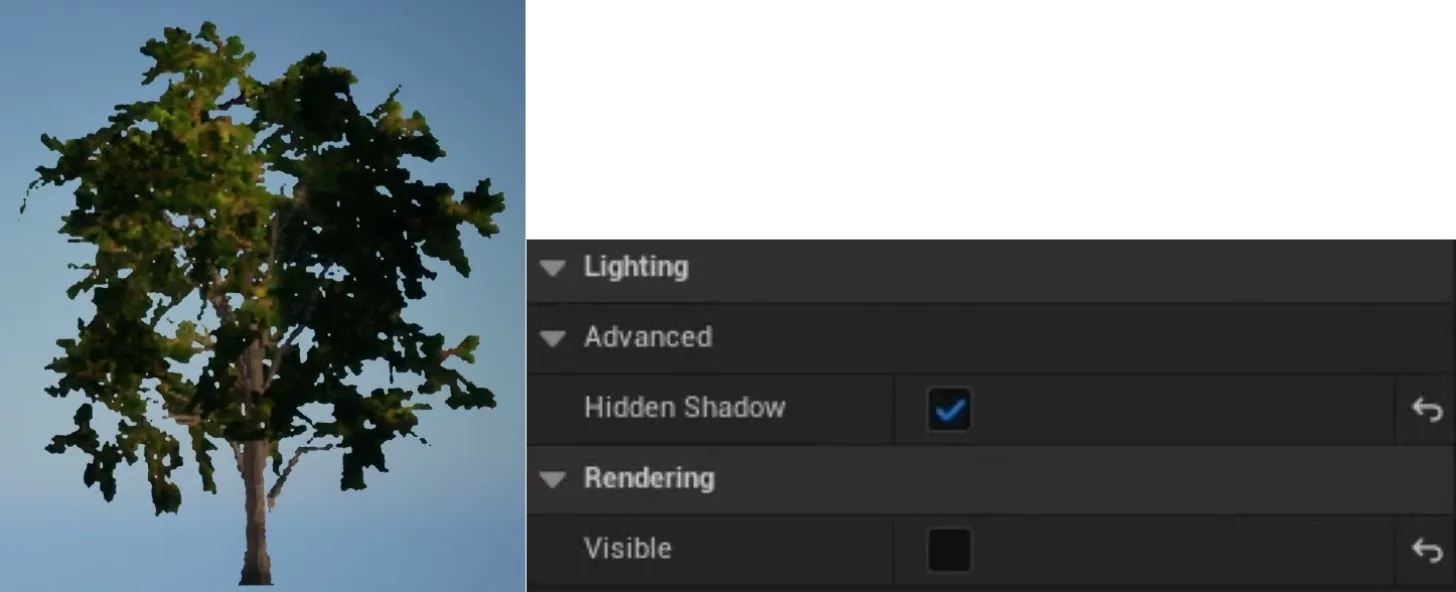
3. Overlay the Visual mesh and ShadowProxyMesh at the same coordinates
Section titled “3. Overlay the Visual mesh and ShadowProxyMesh at the same coordinates”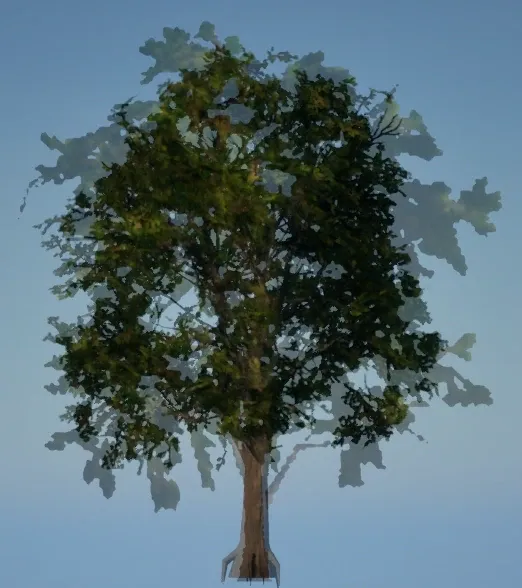
Result
Section titled “Result”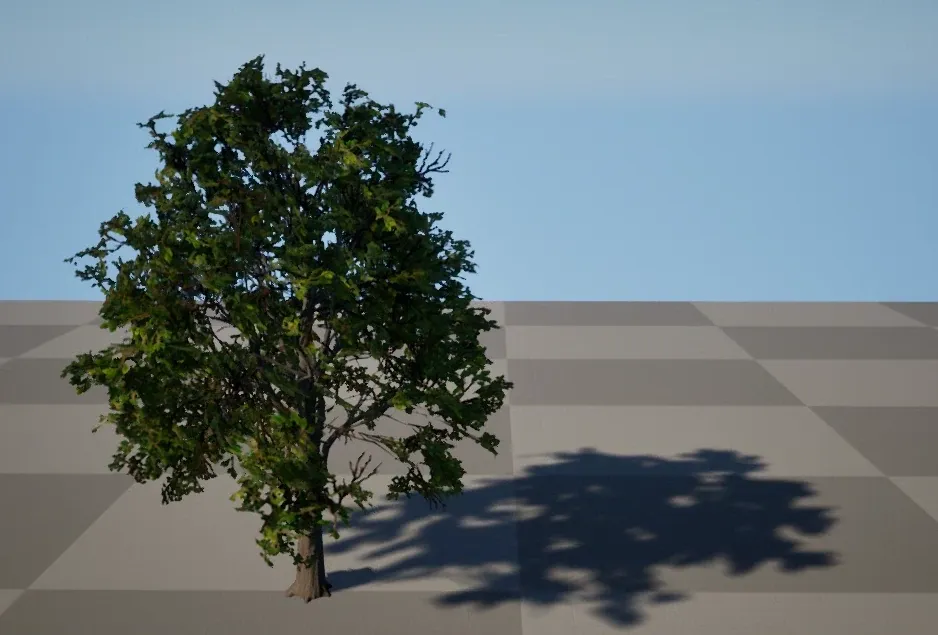
Although the shadow is not fully accurate, it avoids drawing high density meshes and allows for lightweight drawing.
Quad Mesh Wind Animation
Section titled “Quad Mesh Wind Animation”Use as a drawing mesh
Section titled “Use as a drawing mesh”By using the ShadowProxyMesh material, you can not only draw shadows, but also replace the furthest LOD with a 2-triangles card.
How to Implement
Section titled “How to Implement”Used visual mesh
Section titled “Used visual mesh”
| LOD | Polygon Count |
Notes |
|---|---|---|
| LOD0 | 18,761 tri |
|
| LOD1 | 9,788 tri |
|
| LOD2 | 5,187 tri |
|
| LOD3 | 2,320 tri |
|
| LOD4 | 10 tri |
SpeedTree Billboard |
| LOD5 | 2 tri |
A card that uses ShadowProxyMesh material |
Material
Section titled “Material”This implementation uses RotateAboutAxis.
Depending on how you set the axis, it will sway horizontally and twist slightly.
*Change the strength of sway separately for the shadow and the furthest LOD meshes.
Set the axis of the billboard
Section titled “Set the axis of the billboard”
Click to Enlarge
MasterLocation for each instance
Section titled “MasterLocation for each instance”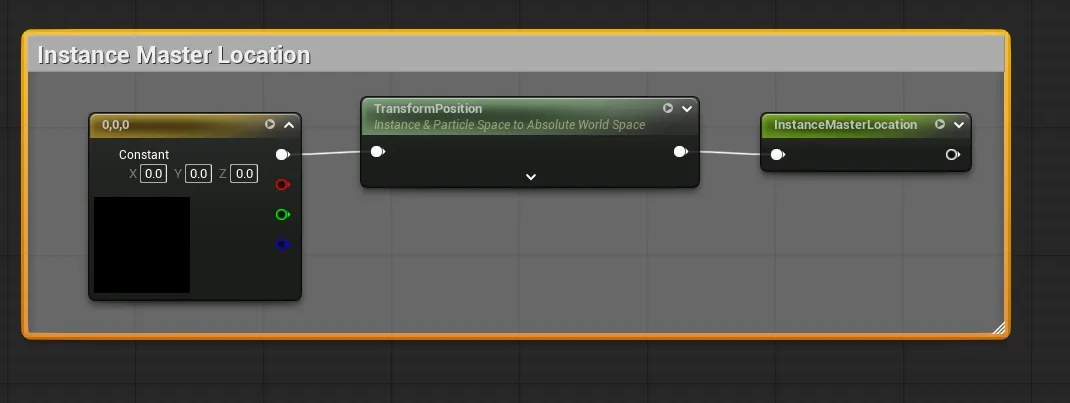
Click to Enlarge
Customize UE Project Titan content
Section titled “Customize UE Project Titan content”- default: Process to face the Camera
- Shadow: Process to face the Light direction

Click to Enlarge
Basic calculation of wind sway
Section titled “Basic calculation of wind sway”
Click to Enlarge
Change the scale depending on whether it is a Shadow pass or not
Section titled “Change the scale depending on whether it is a Shadow pass or not”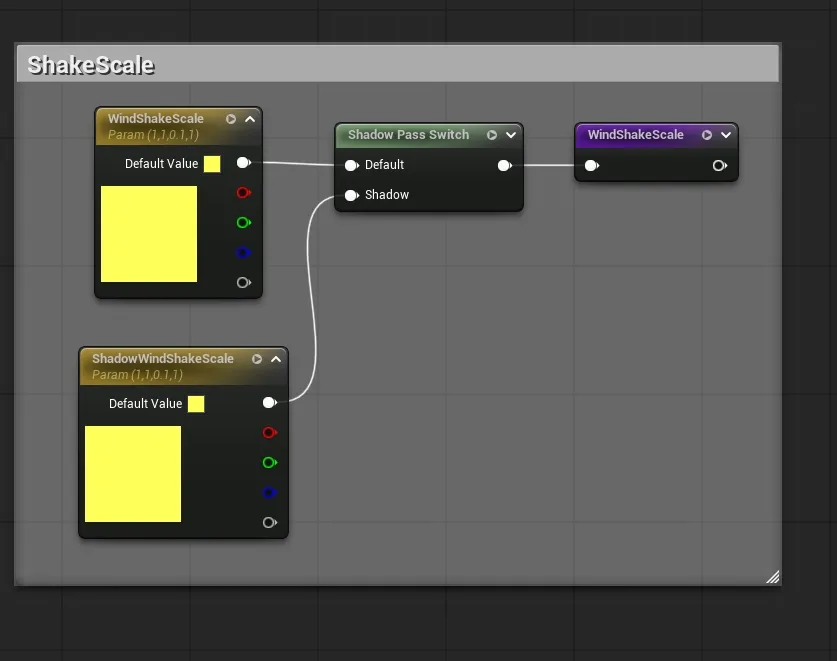
Click to Enlarge
WPO Output
Section titled “WPO Output”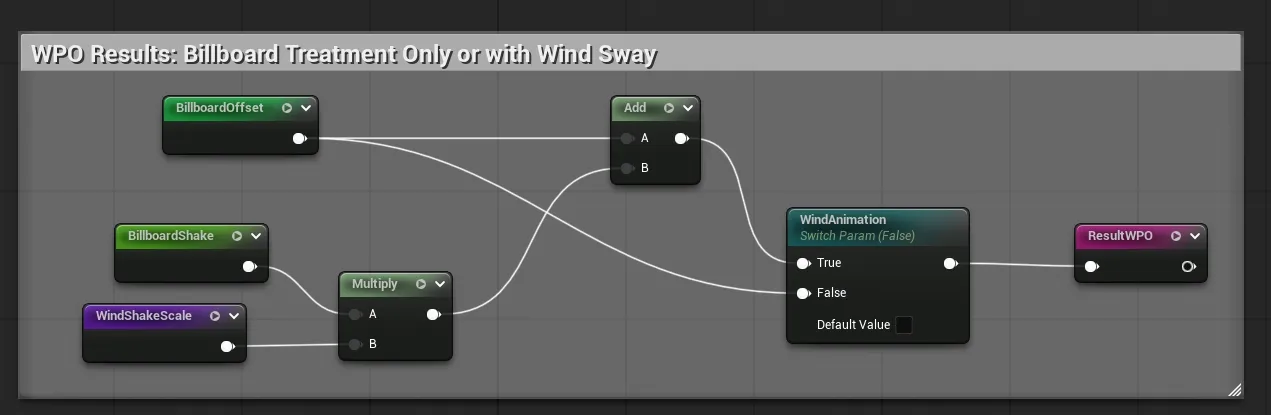
Click to Enlarge
Material Parameters
Section titled “Material Parameters”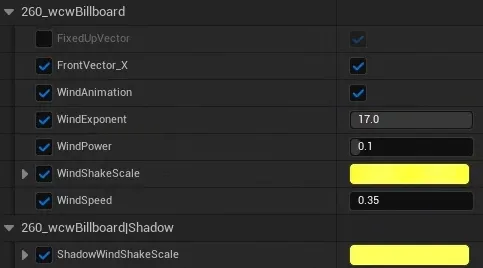
WinterCrownWORKS : Quad Mesh Wind Animation
Section titled “WinterCrownWORKS : Quad Mesh Wind Animation”The farthest LOD5 is displayed.
References
Section titled “References”Proxy Geometry Shadows
Section titled “Proxy Geometry Shadows”Between Tech and Art: The Vegetation of ‘Horizon Zero Dawn’ P83
Section titled “Between Tech and Art: The Vegetation of ‘Horizon Zero Dawn’ P83”
Rendering ‘Assassin’s Creed Shadows’ P30
Section titled “Rendering ‘Assassin’s Creed Shadows’ P30”
Zen of Streaming: Building and Loading ‘Ghost of Tsushima’ P86
Section titled “Zen of Streaming: Building and Loading ‘Ghost of Tsushima’ P86”